

Download Relisten – Live Show Recordings, Free Streaming, Music App
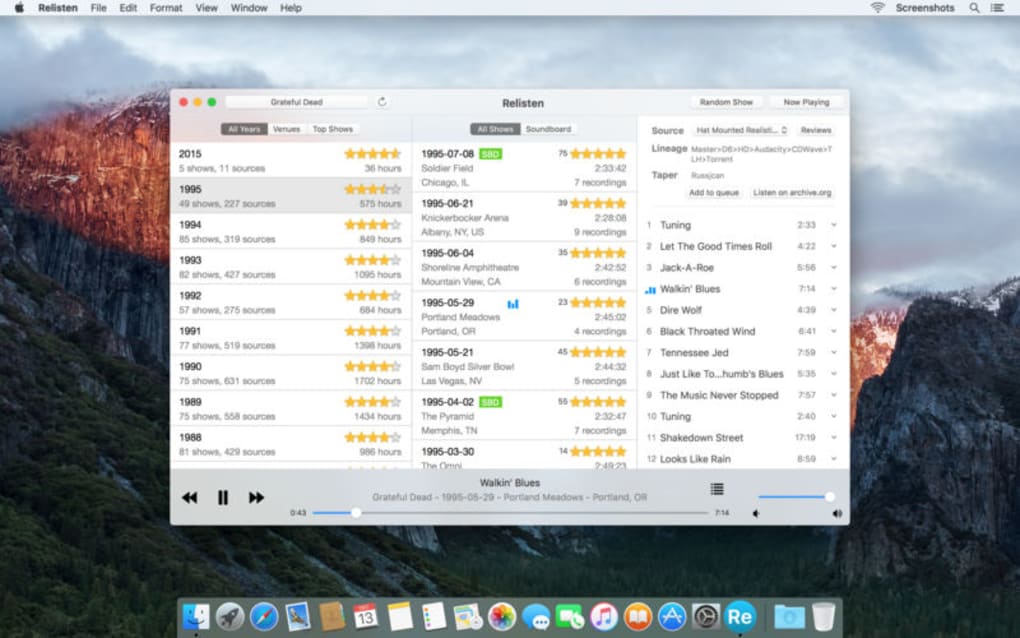
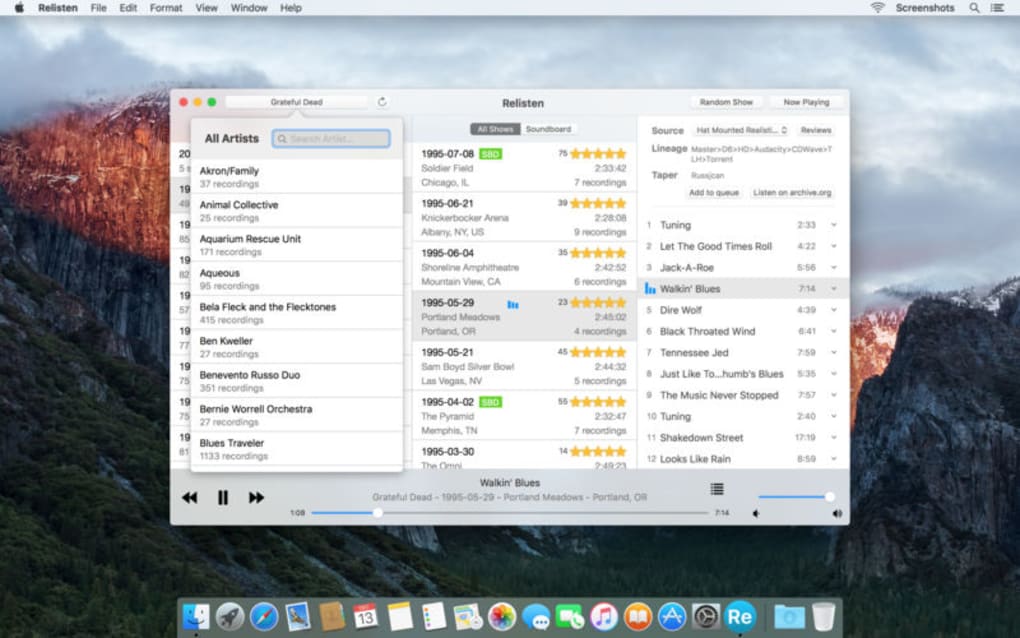
Relisten is the ultimate hub for fans who crave authentic live‑performance experiences. With a catalog that spans more than 80 artists and thousands of concert recordings, the app lets you stream any show directly to your device, whether you’re on a desktop, laptop, or mobile phone. Beyond simple playback, Relisten enriches each track with detailed taper notes, venue information, and crowd‑sourced concert ratings, turning a casual listening session into an immersive deep‑dive into music history.
Its sleek, modern UI makes navigation effortless, while robust streaming capabilities ensure smooth playback even on slower connections. Whether you’re a die‑hard collector hunting rare bootlegs or a casual listener wanting to hear the magic of a favorite band’s live energy, Relisten delivers a secure, ad‑free environment that feels both personal and professional. The app also includes handy features like random show playback, which can surprise you with hidden gems you never knew existed.
In short, Relisten combines a massive live‑recording database with thoughtful design, making it the go‑to destination for anyone who wants to relive concerts anytime, anywhere.
Key Features That Set Relisten Apart
- Extensive catalog of live recordings from over 80 artists, ranging from classic rock legends to contemporary indie acts.
- High‑quality streaming with adaptive bitrate to ensure uninterrupted playback on any network.
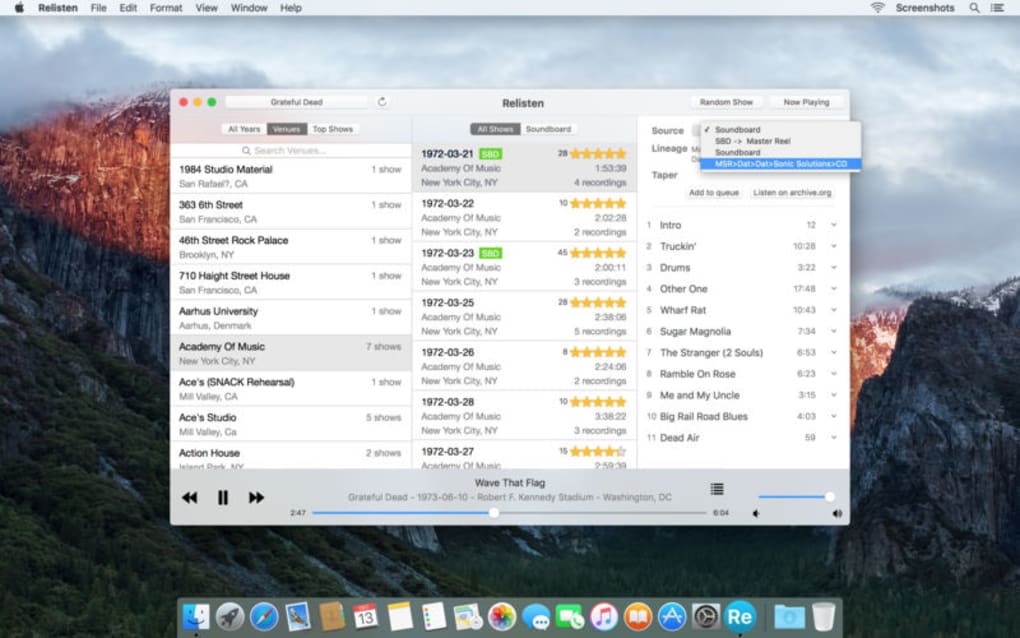
- Detailed taper notes, venue data, and concert ratings provided by a passionate community of fans.
- Random show mode that shuffles recordings for spontaneous discovery.
- Intuitive, visually appealing interface optimized for both desktop and mobile devices.
- Search and filter tools that let you locate shows by artist, date, venue, or setlist.
- Background audio support so you can keep listening while using other apps.
- Secure, ad‑free environment with regular updates to keep the library fresh.
The feature set is designed to cater to both power users and newcomers. For collectors, the ability to view taper notes and source information means you can verify the authenticity and quality of each recording before you hit play. For casual listeners, the random show feature turns the app into a musical roulette, exposing you to performances you might never have searched for on your own. Moreover, Relisten’s robust tagging system lets you curate personal playlists, share favorite shows with friends, and even export setlists for offline reference. The combination of a massive, constantly expanding library with community‑driven metadata creates a unique ecosystem where the music itself is the centerpiece, and the surrounding information enhances the listening experience without overwhelming it.
Installation, Compatibility, and How to Use Relisten
Getting started with Relisten is straightforward. The app is available for free download on Windows, macOS, Android, and iOS platforms. Simply visit the official website or your device’s app store, click “Download” or “Get,” and follow the on‑screen prompts. Installation typically takes under two minutes, and the installer includes an automatic update checker that ensures you always have the latest features and bug fixes. After launching the app, you’ll be prompted to create a free account or sign in with an existing one—this step is optional but recommended for syncing your preferences across devices.
Supported operating systems:
- Windows 10 and later
- macOS 11 (Big Sur) and later
- Android 8.0 (Oreo) and later
- iOS 13 and later
Once installed, navigating Relisten is intuitive. The home screen showcases featured artists and recent uploads, while a persistent search bar lets you locate specific concerts by typing an artist name, venue, or year. Selecting an artist opens a dedicated page with a chronological list of shows, each accompanied by thumbnail artwork, date, and rating.
Tapping a recording brings up the player interface, where you can view taper notes, switch audio quality, and enable background playback. The app also offers a “Random Show” button at the top of each artist page—click it to let the algorithm surprise you with a hidden performance. For power users, the “Advanced Filters” menu provides granular control over setlist length, venue type, and even taper reputation, ensuring you only hear the best possible recordings.
Pros, Cons, FAQ, and Final Verdict
Pros
- Vast library of live recordings from a diverse range of artists.
- Rich metadata (taper notes, venue info, ratings) enhances discovery.
- Ad‑free, secure streaming with adaptive bitrate.
- Beautiful, responsive design works on desktop and mobile.
- Free to download with regular updates and community support.
Cons
- Some niche artists may have limited recordings compared to mainstream acts.
- Requires an internet connection for streaming; offline download not yet supported.
- Advanced filtering can be overwhelming for first‑time users.
Frequently Asked Questions
Is Relisten completely free?
Yes, the core app and streaming service are free. There are optional donations to support the community and maintain the server infrastructure.
Can I download shows for offline listening?
Currently Relisten focuses on streaming only. The development team has expressed interest in offline support for future releases, but it’s not available today.
How does Relisten ensure the quality of recordings?
Each recording includes taper notes and community ratings. Higher‑rated shows are prioritized in search results, and users can flag low‑quality uploads for review.
Is there a way to sync my favorite shows across devices?
Yes, creating a free account lets you save favorites, playlists, and playback positions that sync automatically across all logged‑in devices.
What security measures protect my data?
Relisten uses HTTPS encryption for all data transfers, stores passwords with salted hashing, and follows industry‑standard privacy practices.
In summary, Relisten delivers a polished, feature‑rich environment for anyone who wants to explore the world of live music recordings. Its massive catalog, coupled with detailed metadata and a clean UI, makes it a standout choice among music streaming tools. While the lack of offline download functionality might be a drawback for travelers, the free, ad‑free experience and constant updates more than compensate. If you’re looking to relive iconic concerts or discover hidden gems from your favorite artists, Relisten is a secure, easy‑to‑use solution that fits seamlessly into your daily listening routine. Download Relisten today and start experiencing live music like never before.
Relisten scores a solid 5 out of 5 for its extensive library, user‑friendly design, and reliable streaming. The pros clearly outweigh the minor cons, making it a must‑have app for live‑music enthusiasts.







